Overview
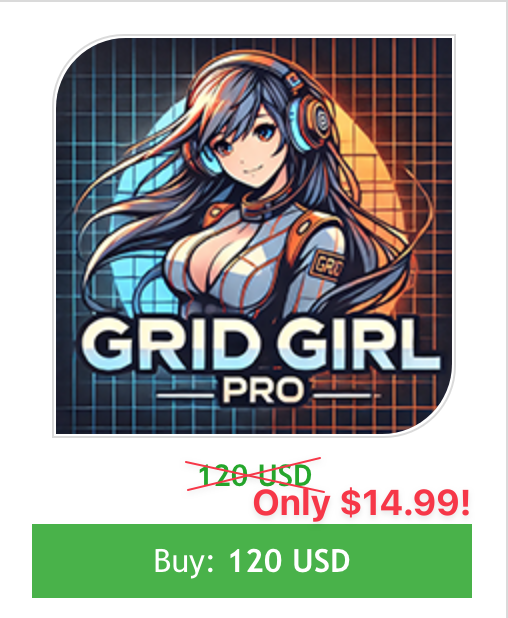
Grid Girl Pro EA is an automated trading tool designed for MetaTrader 4 (MT4) platform that helps traders navigate the forex market more effectively. Built on a dynamic “smart grid” foundation, it adapts to changing market conditions using advanced technical indicators and an intelligent news filter. With its unique features, this bot aims to provide you with improved performance and risk management. It supports multiple currency pairs and timeframes, making it a versatile choice for your trading strategies.
The Developer’s Vision
Grid Girl EA PRO is the product designed by Luca Cerquatelli, a seasoned developer with over two years of experience in creating tools for the MQL5 marketplace. Luca designed this EA to bridge the gap between traditional grid trading systems and the need for adaptability in modern forex markets. By incorporating real-time adjustments and multi-indicator analysis, the EA reflects a vision of balancing profitability and risk, even during volatile economic events.
How It Works
Grid Girl EA PRO operates using a “smart grid” system that dynamically adjusts based on market conditions. It includes:
- Multi-Indicator Analysis: Combines RSI, Momentum, and Bollinger Bands to assess market trends and identify trading opportunities.
- Advanced News Filter: Pauses trading during high-impact economic events, reducing exposure to unpredictable volatility.
- Customizable Parameters: Allows you to fine-tune settings such as lot sizes, grid spacing, and trading rules to match their strategies.
This EA is particularly effective on currency pairs like EURUSD and AUDCAD, trading best on the M30 timeframe.


Key Features
- Smart Grid System: Adjusts trading grids dynamically to align with market movements and news events
- Multi-Indicator Integration: Uses RSI, Momentum, and Bollinger Bands for precise market analysis
- News Filter: Stops trades during major economic announcements to minimize risk
- Customizable Settings: Tailor the EA for different trading styles and risk preferences
- Multi-Pair Trading: Supports multiple currency pairs, including EURUSD, AUDCAD, GBPAUD, AUDNZD, and EURCHF
- Optimal Timeframe: Recommended to operate on the M30 timeframe
Key Advantages for Traders
- Risk Management: The news filter and customizable parameters help safeguard against unexpected losses
- Ease of Use: Suitable for both novice and experienced traders because of its intuitive design and adjustable settings
- Broad Compatibility: Works well across various currency pairs and timeframes, offering flexibility to diversify trades
How to install Grid Girl PRO EA
- Open your MetaTrader 4 application, click File – Open Data Folder.
- Open the “MQL4” folder within the MT4 directory.
- Find the “Experts” subfolder and open it.
- Copy the downloaded Grid Girl PRO EA file into the “Experts” folder.
- Find the “Presets” subfolder and open it.
- Copy the downloaded Grid Girl PRO EA files into the “Presets” folder.
- In MT4, navigate to the “Navigator” window on the left side of the interface.
- Right click anywhere inside the “Navigator” window and click “Refresh”.
- Expand the “Experts” section.
- Find the Grid Girl PRO EA in the list, then drag and drop it onto your desired chart.
- Adjust the settings in the EA’s properties window if desired (the default settings are optimized for immediate use).
- Click “OK” to apply the EA to your chart.
Conclusion
Grid Girl Pro EA offers traders a sophisticated, adaptable trading tool that can help navigate the complex forex market. While no trading system guarantees profits, its intelligent design and flexible approach make it an interesting option for traders looking to automate their trading strategy.
I would recommend this EA if you:
- Want an automated trading solution
- Understand forex market basics
- Are willing to invest time in proper configuration
- Have a minimum of $1,000 for trading