Overview
The Breakout and Retest Scanner Indicator for MetaTrader 4 (MT4) is a powerful tool designed to help you identify and capitalize on breakout and retest patterns in the forex market. By automating the detection of these patterns, the indicator saves your valuable time and enhances trading accuracy, making it a valuable asset for both novice and experienced traders.
Developed by Elif Kaya, the Breakout and Retest Scanner simplifies the complex process of pattern recognition in trading. Kaya’s goal was to create an indicator that not only identifies potential trading opportunities but also reduces the likelihood of human error, boosting your confidence in your trading decisions.
How It Works
The indicator scans multiple charts and timeframes to detect instances where the price breaks through a support or resistance level and then retests it. This behavior often signals the continuation of a trend, presenting a potential trading opportunity.
Once a pattern is identified, the indicator provides clear entry points, stop-loss levels, and take-profit targets, enabling you to execute trades with precision.


Key Features
- Automated Pattern Recognition: Scans various charts and timeframes to identify breakout and retest patterns, eliminating the need for manual analysis
- Real-Time Alerts: Sends instant notifications, including push alerts to your mobile device, ensuring you never miss a signal
- Customizable Settings: Adjust parameters such as moving average methods and pattern types to align with your trading strategies
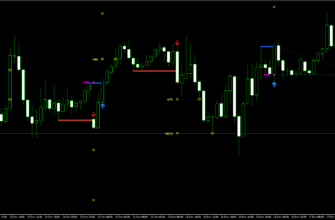
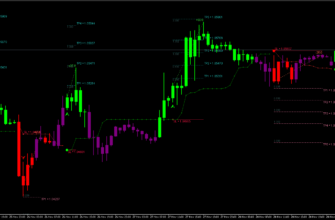
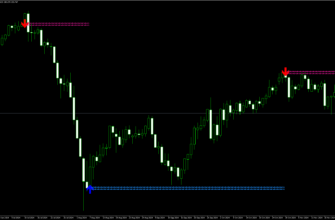
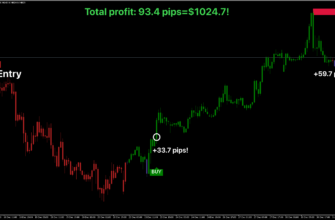
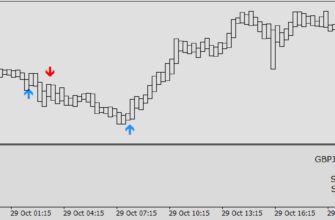
- Visual Chart Indicators: Highlights entry and exit points directly on the chart for easy interpretation
- Available Timeframes: Compatible with all major timeframes, including M1, M5, M15, M30, H1, H4, and D1
- Recommended Currency Pairs: Best suited for highly liquid pairs like EUR/USD, GBP/USD, and USD/JPY, but it can work with other pairs as well
- Non-Repainting: The indicator does not repaint, ensuring reliable signals that you can act on confidently
How to Install Breakout and Retest Scanner Indicator
- Download the Indicator: Purchase and download the Breakout and Retest Scanner Indicator from our website.
- Open MetaTrader 4: Launch the MT4 application and click File → Open Data Folder.
- Locate the Folder: Navigate to the MQL4 folder and open the Indicators subfolder.
- Copy the File: Place the downloaded indicator file into the Indicators folder.
- Refresh the Navigator: Go back to the MT4 platform, locate the Navigator window, right-click anywhere inside and select Refresh.
- Attach to Chart: Expand the Indicators section, locate the Breakout and Retest Scanner Indicator, and drag it onto your desired chart.
- Configure Settings: Adjust the settings in the indicator’s properties window to suit your preferences. Default settings are optimized for immediate use.
- Activate the Indicator: Click OK to apply the indicator and start analyzing the market.
Conclusion
The Breakout and Retest Scanner Indicator for MT4 is an advanced tool that improves your trading efficiency and accuracy by automating the detection of breakout and retest patterns. Its user-friendly interface, real-time alerts, and customizable features make it a valuable addition to any trader’s toolkit. By integrating it into your trading setup, you can make more informed decisions and seize profitable opportunities with confidence.