Overview
Gold Trade Pro EA is an Expert Advisor (EA) designed for MetaTrader 4 (MT4) platform that helps you automatically trade gold in the forex market. It is designed specifically to assist traders in navigating this unpredictable world of gold (XAUUSD) trading. Unlike many other trading robots, it avoids high-risk strategies like grid and martingale. Instead, it is focused on breakout strategies that rely on daily support and resistance levels. This approach is especially suited for gold’s high volatility, aiming to provide a safer, more sustainable trading experience.
The Developer’s Vision
Gold Trade Pro EA was developed by Wim Schrynemakers, an experienced trader and software developer known for his various MT4 tools. His vision for Gold Trade Pro EA was to create a trading robot that emphasizes realistic, consistent growth while minimizing risk. By avoiding complex, often-risky techniques, his robot aims to offer traders a tool that is both effective and easy to use.
How It Works
Gold Trade Pro EA is designed to make the most of gold’s volatile nature by following a breakout strategy based on daily support and resistance levels. This approach contrasts with more aggressive strategies like grid or martingale, which can be risky for the gold market.
Instead of opening multiple positions during unfavorable trends, Gold Trade Pro EA focuses on straightforward entry points. Here’s how it works:
- Breakout Strategy: The EA identifies significant daily support and resistance levels and waits for breakouts to occur. When the price crosses these levels with momentum, it initiates a trade, taking advantage of the potential for further price movement in the same direction.
- Seven Strategies in One: To adapt to different market conditions, Gold Trade Pro EA integrates seven different trading strategies. Each strategy is tuned to react differently to specific market scenarios, allowing the robot to maximize your winning opportunities.
- Risk Management Tools:
- Predefined Take Profit (TP) and Stop Loss (SL): Each trade is set with specific TP and SL levels, so potential losses are capped while targeting potential profits. This approach minimizes unexpected account losses.
- Trailing Stop Loss: As the price moves in your favorable direction, the EA trails the stop loss along with the price, securing profits and allowing gains to accumulate without exposing traders to excessive risk.
- Flexible Setup: Gold Trade Pro EA also includes custom settings that let you adjust risk per trade based on your personal preferences, providing more control over exposure. This makes the EA suitable for various account sizes and risk tolerances.


Key Features
- Real trading strategy: Focuses on daily breakout levels instead of risky grid/martingale methods
- Risk management: Each trade includes Take Profit, Stop Loss, and a trailing stop
- Prop firm ready: Comes with settings compatible with prop trading firm requirements
- Easy setup: Simple configuration, including options to adjust lot size and risk per trade
Key Advantages for Traders
- 7 integrated strategies: Multiple strategies work together to optimize performance in varying market conditions
- Prop Firm Ready: Optimized for use with proprietary trading firms (firms that fund traders with their own capital, allowing you to trade larger amounts)
- Transparency: Transparent and realistic performance expectations, without manipulation in backtests
- Easy to use: Suitable for Both New and Experienced Traders

How to install Gold Trade Pro EA
- Download the Gold Trade Pro EA file using this link or the download button above.
- Open your MetaTrader 4 application, click File – Open Data Folder.
- Open the “MQL4” folder within the MT4 directory.
- Find the “Experts” subfolder and open it.
- Copy the downloaded Gold Trade Pro EA files into the “Experts” folder.
- Find the “Presets” subfolder and open it.
- Copy the downloaded Gold Trade Pro EA files into the “Presets” folder.
- In MT4, navigate to the “Navigator” window on the left side of the interface.
- Right click anywhere inside the “Navigator” window and click “Refresh”.
- Expand the “Expert Advisors” section.
- Find the Gold Trade Pro EA in the list, then drag and drop it onto your desired chart.
- Adjust the settings in the indicator’s properties window if desired (the default settings are optimized for immediate use).
- Click “OK” to apply the EA to your chart.
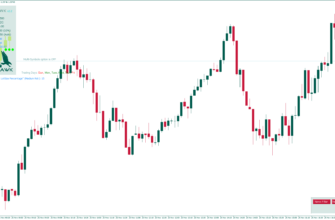
Once installed, the Gold Trade Pro EA will display its signals and information directly on your chart. Watch for buy/sell signals, depending on your settings, and use the provided information to make right trading decisions.
Conclusion
In conclusion I would like to mention that Gold Trade Pro EA offers a practical approach for traders looking to enter the gold market. By focusing on real breakout points and avoiding speculative methods, it provides a reliable tool for those seeking steady growth rather than high-risk, rapid gains. Remember to practice using the EA on a demo account before applying it to live trading, and always use proper risk management techniques in conjunction with the Gold Trade Pro EA’s signals.