Overview

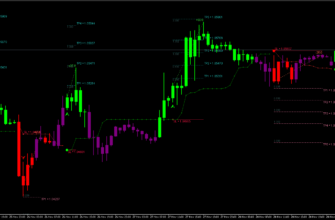
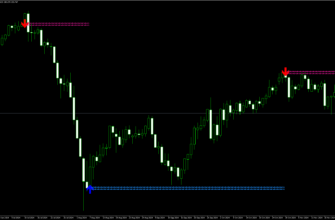
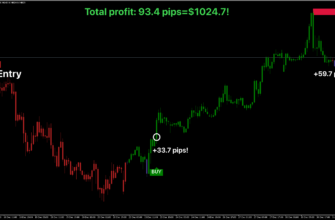
Scalper Inside Pro is a powerful tool for MetaTrader 4 (MT4) platform designed to help traders make quick, short-term trades. It’s especially useful for a trading style called scalping, where traders aim to make many small profits from tiny price changes. This indicator gives clear buy and sell signals and offers extra information to help traders make good decisions.
The Developer’s Vision
The developer Alexey Minkov is a well-known developer in the MQL5 community. He has over 9 years of experience in making trading tools. His vision was to create a user-friendly but powerful indicator that could be used by traders of all experience levels.
How it Works
The Scalper Inside Pro Indicator uses a next-generation trend detection algorithm to scan the market in real-time, identifying key price levels for entering and exiting trades. It also calculates optimal profit targets and automatically filters out market noise. The signals are displayed directly on the chart and are easy to follow. You can use these signals as they are or combine them with your own chart analysis. Scalper Inside Pro uses a smart system to analyze the market:
- It looks at current market prices and past trends
- It uses a special formula (called NG TDA) to spot trends fast
- It automatically finds good entry and exit points for trades
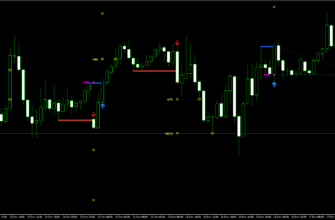
- It shows buy/sell signals on the chart
- It gives extra information like where to set stop-loss and take-profit levels
- It calculates how well your trades are doing

Key Features
- Next-Generation Trend Detection Algorithm (NG TDA)
- Automatic detection of key points for entering and exiting trades
- Multi-level profit-taking system
- High Time Frame (HTF) Impulse Filter to reduce false signals
- Detailed trading statistics
- Three built-in trading strategies
- Custom indicator integration alongside Scalper Inside Pro
- User-friendly interface with easy-to-follow rules
- Works with all Forex currency pairs
- Can be used on other markets like stocks, commodities, and even cryptocurrencies
- Suitable for all timeframes
Key Advantages for Traders
- Easy to use, even for beginners
- Reduces emotional trading by providing clear real-time signals
- Adapts to different market conditions
- Non-repainting indicator: Signals don’t change after they appear, making it more reliable and trustworthy

How to Install Scalper Inside Pro Indicator
- Download the Scalper Inside Pro Indicator file using this link or the download button above.
- Open your MetaTrader 4 application, click File – Open Data Folder.
- Open the “MQL4” folder within the MT4 directory.
- Find the “Indicators” subfolder and open it.
- Copy the downloaded Scalper Inside Pro Indicator file into the “Indicators” folder.
- In MT4, navigate to the “Navigator” window on the left side of the interface.
- Right click anywhere inside the “Navigator” window and click “Refresh”.
- Expand the “Custom Indicators” section.
- Find the Scalper Inside Pro Indicator in the list, then drag and drop it onto your desired chart.
- Adjust the settings in the indicator’s properties window if desired (the default settings are optimized for immediate use).
- Click “OK” to apply the indicator to your chart.
Once installed, the Scalper Inside Pro Indicator will display its signals and information directly on your chart. Watch for buy/sell signals, depending on your settings, and use the provided information to make right trading decisions.
Conclusion
Scalper Inside Pro is a powerful and flexible tool for all MT4 traders, especially those interested in scalping. It offers clear real-time signals, detailed information, and the ability to customize settings to fit different trading styles. Whether you’re new to trading or have years of experience, this indicator can help make your trading more efficient and potentially more profitable.
Remember to practice using the indicator on a demo account before applying it to live trading, and always use proper risk management techniques in conjunction with the Scalper Inside Pro’s signals.