Overview

The Atomic Analyst is a powerful Price Action indicator designed for MetaTrader 4 (MT4) platform that helps traders make more informed trading decisions. This tool integrates advanced filtering systems to minimize false signals and market noise. Its compatibility across different markets and timeframes makes it a versatile asset for both beginner and professional traders.
How It Works
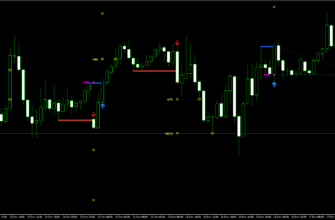
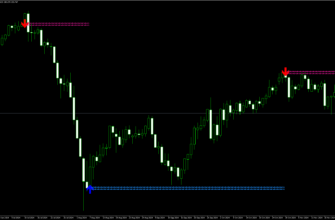
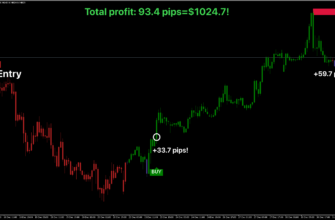
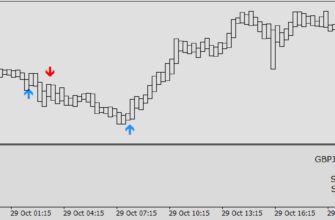
The Atomic Analyst leverages price action techniques focused on strength and momentum to identify optimal market entry and exit points. The indicator provides signal arrows for trade setups, including recommended stop-loss and take-profit levels.
Trading Strategies:
- Active Trading: Suitable for real-time monitoring and quick decision-making
- Passive Trading: Helpful if you use a VPS to manage trades without constantly monitoring the platform
The tool supports various trading styles:
- Scalping and Intra-Day Trading: If you want to capitalize on short-term price movements
- Day and Swing Trading: Designed to capture larger market trends over extended periods
The Smart Panel feature provides real-time information, such as trend directions across timeframes, trading session updates, account status, and market data.


Key Features
- Recommended Pairs: EUR/USD, AUD/USD, XAU/USD
- Supported Timeframes: From 1-minute to 1-month charts
- Supported Markets: Forex, commodities, stocks, cryptocurrencies, precious metals
- Multi-Timeframe Analysis: Analyze trends across different time periods
- Real-Time Alerts: Notifications for trade entries, stop-loss, and take-profit levels
- Advanced Filtering: Reduces false signals and annoying market noise
- Adaptive Color Coding: Highlights strength and momentum with color-coded candles
Key Advantages for Traders
- Easy to Use: Clear, easy-to-understand signals
- Flexibility: Suitable for multiple trading styles (scalping, day trading, swing trading)
- Advanced Risk Management: Provides up to five take-profit levels
- Trailing Stop: Includes trailing stop capabilities
- Non-Repainting Design: Ensures consistent and trustworthy signals
How to install Atomic Analyst Indicator
- Open your MetaTrader 4 application, click File – Open Data Folder.
- Open the “MQL4” folder within the MT4 directory.
- Find the “Indicators” subfolder and open it.
- Copy the downloaded Atomic Analyst Indicator file into the “Indicators” folder.
- In MT4, navigate to the “Navigator” window on the left side of the interface.
- Right click anywhere inside the “Navigator” window and click “Refresh”.
- Expand the “Indicators” section.
- Find the Atomic Analyst Indicator in the list, then drag and drop it onto your desired chart.
- Adjust the settings in the Indicator’s properties window if desired (the default settings are optimized for immediate use).
- Click “OK” to apply the indicator to your chart.
Conclusion
To sum up, I would say that Atomic Analyst is a versatile trading indicator that simplifies market analysis. By combining advanced filtering, multi-timeframe analysis, and clear signal presentation, it can help you to make more informed decisions for your trading strategy.
Don’t forget to test the indicator on a demo account first and practice proper money management before using it with a real account!