Overview
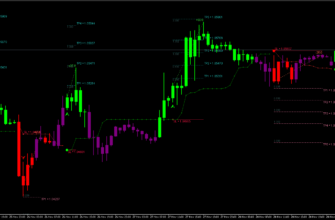
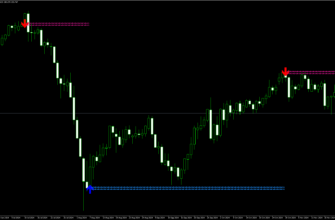
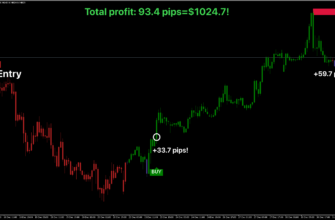
The Breakout Box Indicator is a useful tool for MetaTrader 4 (MT4) trading platform that helps traders spot important price levels in the market. It draws boxes on your chart to show areas where the price might break out and start a new trend. This indicator is great for traders who want to catch big price moves early. The Breakout Box Indicator is highly effective for strategies focused on price breakouts, and it’s best used on timeframes shorter than 4 hours, such as M1, M5, M15, M30, and H1. However, the H1 timeframe tends to provide the most reliable signals.
How it works
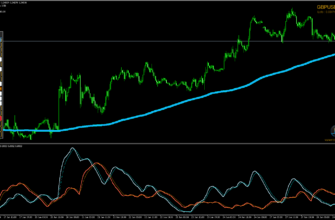
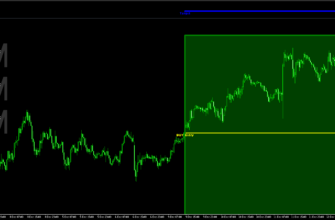
The Breakout Box Indicator aims at recent price movements and draws rectangular boxes on your chart. These boxes show important support and resistance levels.
Basically, it draws a box around the high and low prices over a specified time period. When the price moves beyond the boundaries of the box, it signals for a possible breakout. For instance:
- If the price breaks above the upper boundary of the box, this suggests a bullish breakout.
- If the price breaks below the lower boundary, this indicates a bearish breakout.
You can use these signals to enter trades in the direction of the breakout. A more advanced approach involves waiting for a retest of the breakout zone, confirming that the breakout is correct before entering a trade.

Key features
- Automatically draws boxes around important price levels
- Works on multiple time frames (M1, M5, M15, M30, H1, with H1 being the most effective one)
- Adapts to market volatility
- Easy to understand visual signals
- Can be used for different trading styles: scalping, day trading and swing trading
- Works well with any currency pair
Key advantages for traders
- Helps identify potential breakout points
- Makes it easier to spot support and resistance levels
- Gives clear entry signals for both buy and sell trades
- Non-repainting indicator (very important for reliable signals)
- Can be combined with other indicators for better results

How to Install Breakout Box Indicator
- Download the Breakout Box Indicator file using this link or the donwnload button above.
- Open your MetaTrader 4 application, click File – Open Data Folder.
- Open the “MQL4” folder within the MT4 directory.
- Find the “Indicators” subfolder and open it.
- Copy the downloaded Breakout Box Indicator file into the “Indicators” folder.
- In MT4, navigate to the “Navigator” window on the left side of the interface.
- Right click anywhere inside the “Navigator” window and click “Refresh”
- Expand the “Custom Indicators” section.
- Find the Breakout Box Indicator in the list, then drag and drop it onto your desired chart.
- Adjust the settings in the indicator’s properties window if desired (the default settings are optimized for immediate use).
- Click “OK” to apply the indicator to your chart.
Once installed, the Breakout Box Indicator will display its signals and information directly on your chart. Watch for buy/sell signals, depending on your settings, and use the provided information to make right trading decisions.
Conclusion
I think the Breakout Box Indicator looks a little bit complicated, but don’t worry. It doesn’t require much analysis. Instead, this indicator helps you to understand technical analysis and simplify making trading decisions.
Remember to practice using the indicator on a demo account before applying it to live trading, and always use proper risk management techniques in conjunction with the Breakout Box Indicator’s signals.