Overview
Smart Analyzer PRO is a trading tool for MetaTrader 4 (MT4) platform that helps traders make better trading decisions. It’s designed to work with different trading styles, from quick trades (scalping) to longer-term trading. What makes it special is that it removes market “noise” (confusing price movements) and gives clear trading signals. Even if you’re new to trading, you can learn to use it very quickly!
How It Works
The Smart Analyzer PRO system uses five main parts working together:
- A main signal indicator (Smart E) that shows arrows for buying and selling
- A filter (SmartMTF) that checks trends across different timeframes
- A tool (Symbol Changer Profit Display v5) to switch between different trading pairs easily
- Special candles that show price movement more clearly
- A background color system (SmartBackground) for better chart reading
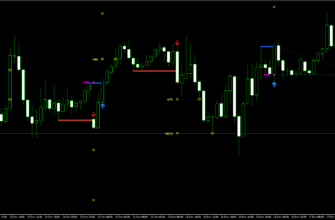
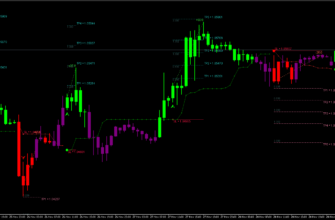
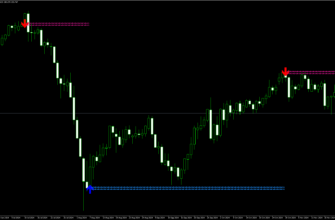
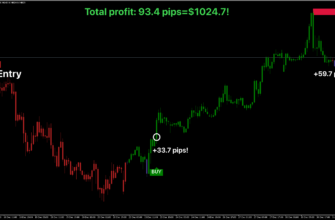
When these parts work together, they help you spot good trading opportunities. The system will show blue arrows for buying and red arrows for selling. To make sure the signals are good, you should also check that the filter shows the same color (all blue for buying, all red for selling).


Key Features
- Works with any currency pair, metals, market indexes, commodities, precious metals and even cryptocurrencies
- Multi-Timeframe Filtering: SmartMTF shows trend direction across higher time frames, improving signal reliability
- Averaging Candles: Uses simplified candles without wicks to reduce market noise.
- Three Alert Levels: Customizable alerts via email, mobile notifications, or pop-ups.
- Three ready-to-use templates for different trading styles:
- Scalping (for quick trades, best for M1, M5, M15 timeframes)
- Day trading (for regular daily trades, best for M5, M15, M30, H1 timeframes)
- Swing trading (for longer-term trades, best for H1, H4, D1 timeframes)
Key Advantages for Traders
- No Repainting: Once a signal appears, it stays there and doesn’t change later
- User-Friendly: Clear buy and sell signals with arrows
- Flexible: Works with many different trading styles
- Reduced Market Noise: Removes confusing price movements for better decision-making
- Risk Management: Helps you set proper stop-loss and take-profit levels
- Customizable: You can adjust settings to match your trading style
How to install Smart Analyzer PRO
- Open your MetaTrader 4 application, click File – Open Data Folder.
- Open the “MQL4” folder within the MT4 directory.
- Find the “Indicators” subfolder and open it.
- Copy the downloaded Smart Analyzer PRO indicator files into the “Indicators” folder.
- Find the “Templates” subfolder and open it.
- Copy the downloaded Smart Analyzer PRO template files into the “Templates” folder.
- In MT4, navigate to the “Navigator” window on the left side of the interface.
- Right click anywhere inside the “Navigator” window and click “Refresh”.
- Find the “Templates” button on the top. Click it and choose Smart Analyzer PRO.
Once installed, the Smart Analyzer PRO will display its signals and information directly on your chart. Watch for buy/sell signals, depending on your settings, and use the provided information to make right trading decisions.
Conclusion
Smart Analyzer PRO is a solid tool for both new and experienced traders. I think Its main strength is making difficult market information easier to understand and use. The non-repainting feature is especially important as it means you can trust the signals you see.
Remember to practice using the indicator on a demo account before applying it to live trading, and always use proper risk management techniques in conjunction with the Smart Analyzer PRO’s signals.